
Manual search
Search any entity on the lists of your choice.
Definition
Manual screening allows you to check whether a specific entity appears on one or more selected lists. This feature lets you screen any entity instantly, without ingesting it into your database or triggering an alert.
Manual screenings do not produce decisions; they are designed to give you quick, on-the-spot insights for individual checks.
Searching an entity
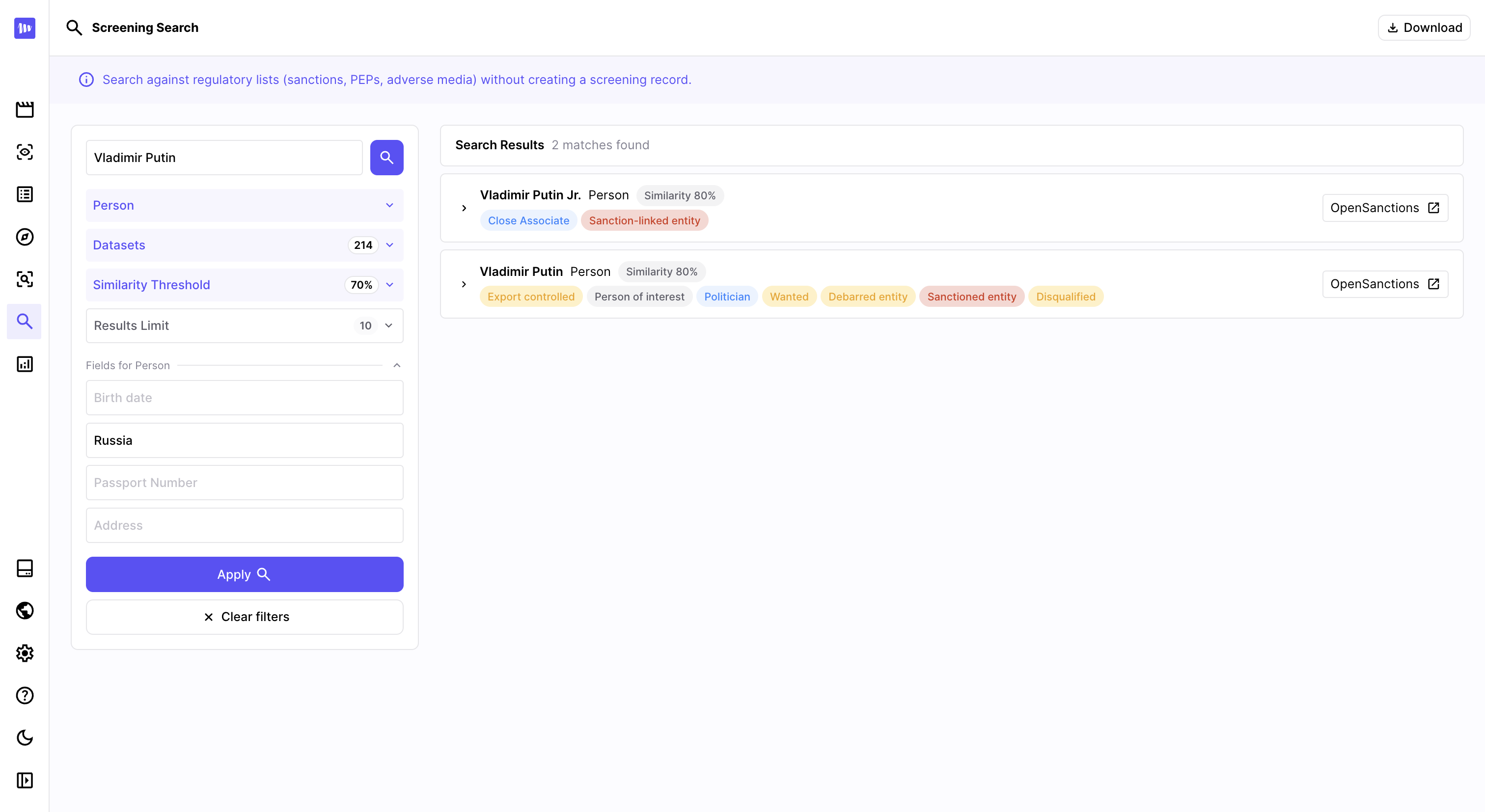
The manual search is available from the Manual screening section in Marble's left menu.
Fill the following fields to fine-tune your search:
- Name: entity you are looking for
- Entity type: select the type of entity among person, organization or vehicle. This field is optional but recommended to avoid false positives.
- Datasets: select the Sanctions, PEP or Adverse media lists on which you want to screen your entity.
- Similarity threshold: the minimum similarity score (as a %) for an entity to be considered a possible match on a sanction list.
- Results limit: the maximum number of results that should be returned
- Additional parameters: based on the entity you selected, you could add some extra parameters to make your screening more relevant (date of birth, country, passport number, registration number etc).
Once ready, just click on Apply to explore the results matching your filters.
Updated 8 months ago
Did this page help you?