
Basics
Operands and operators
A formula is composed of 2 main elements:
- Operands are data point used in operations. They can be a value, a variable, or the result of another operation.
- Operators represent an action that combines two provided operands into a single boolean result.
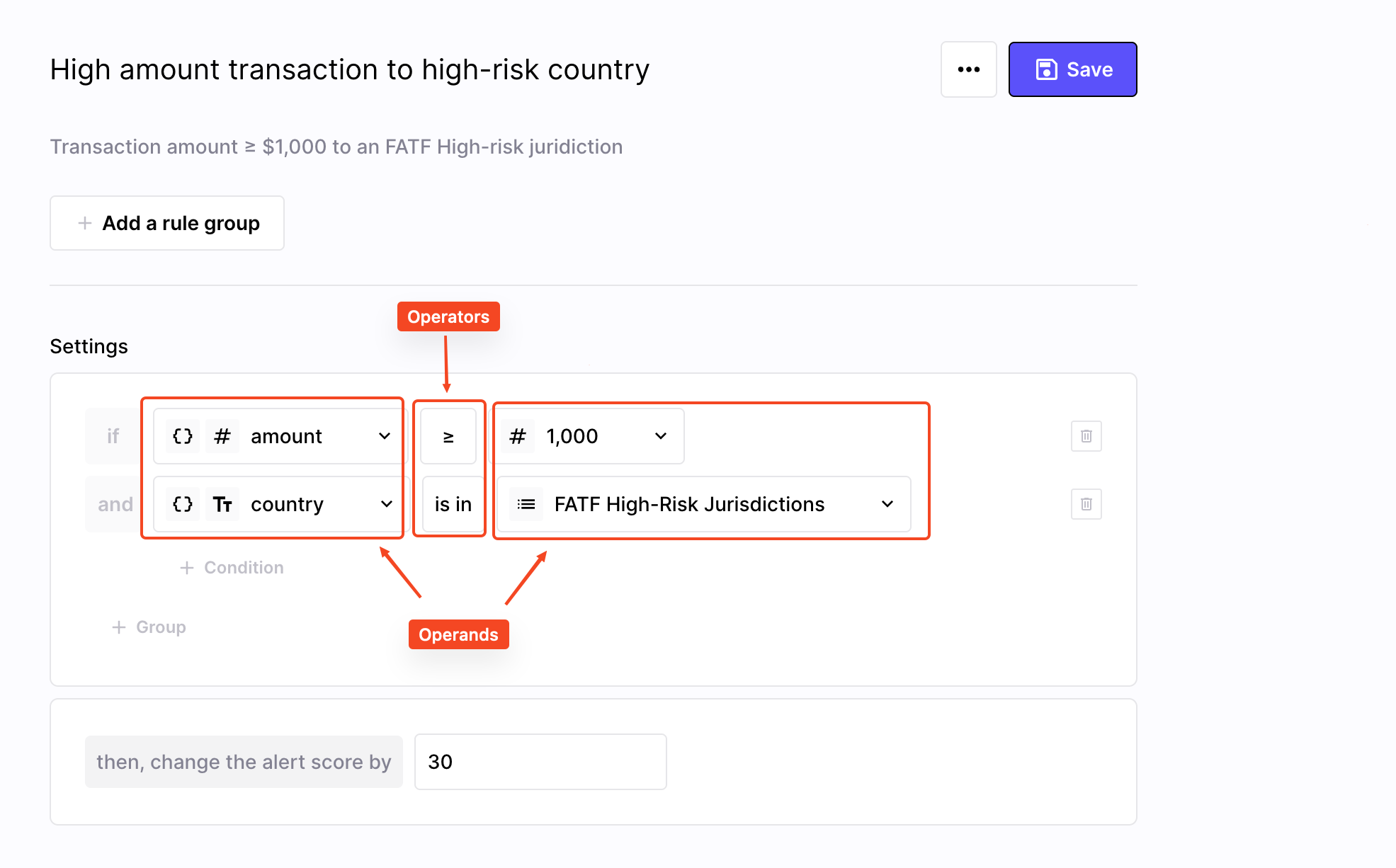
Operators compare operands to result in a boolean
Nesting
Nesting conditions allows you to combine multiple logical operations into a single rule by placing one condition inside another. This enables more sophisticated and precise decision-making within a single evaluation flow.
For example, let's say you want to build a rule that detects if a user makes a transaction that is greater than 50% of their declared income. To do so:
-
The first operand will be your transaction
amount -
The main operator here is
≥ -
Then, click on your 2nd operand, and select Modeling → Open brackets
-
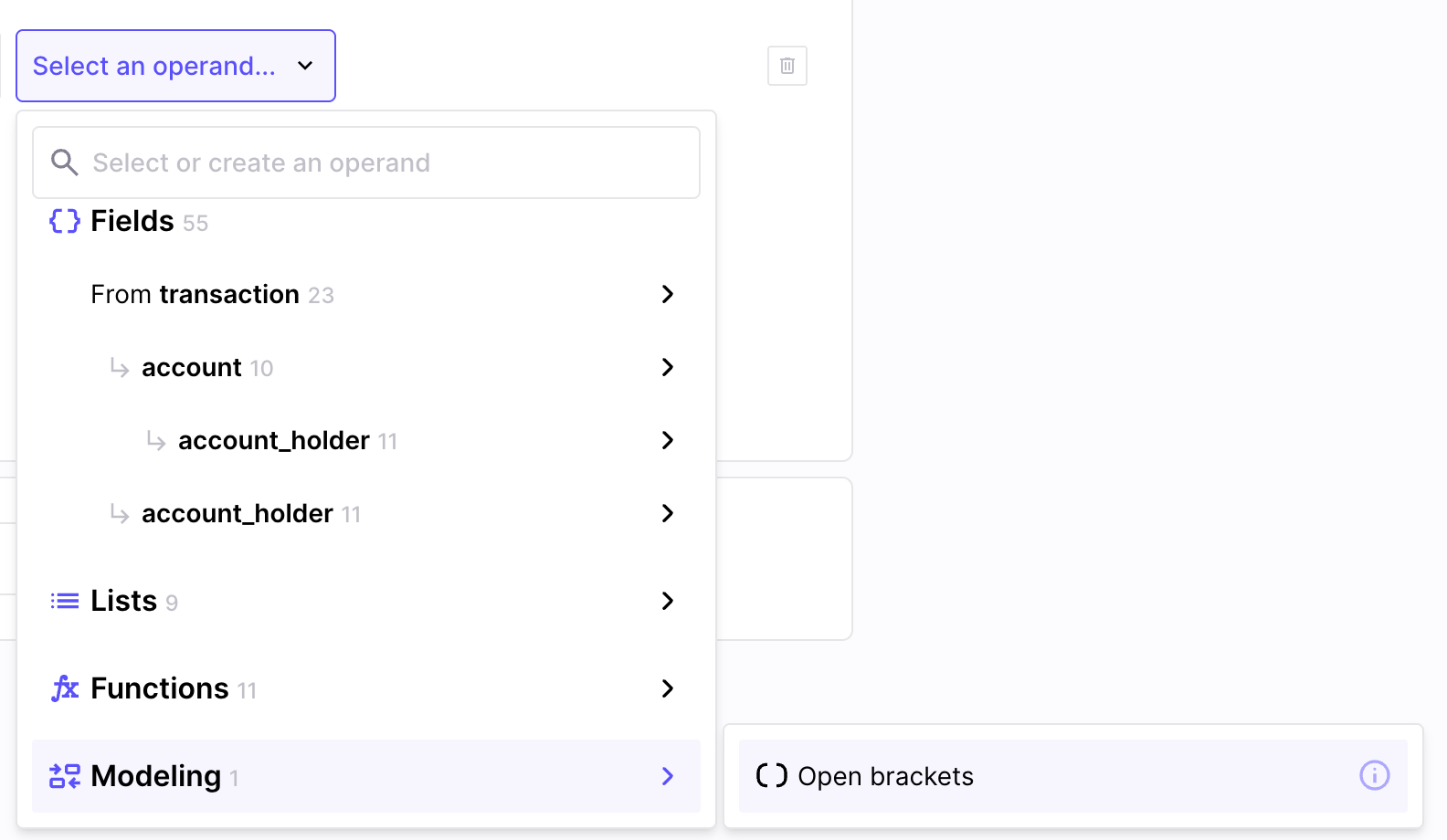
In the newly added brackets:
- enter
0.5as the first operand (for 50%) ×as the operator- your
incomefield as the second operand
- enter
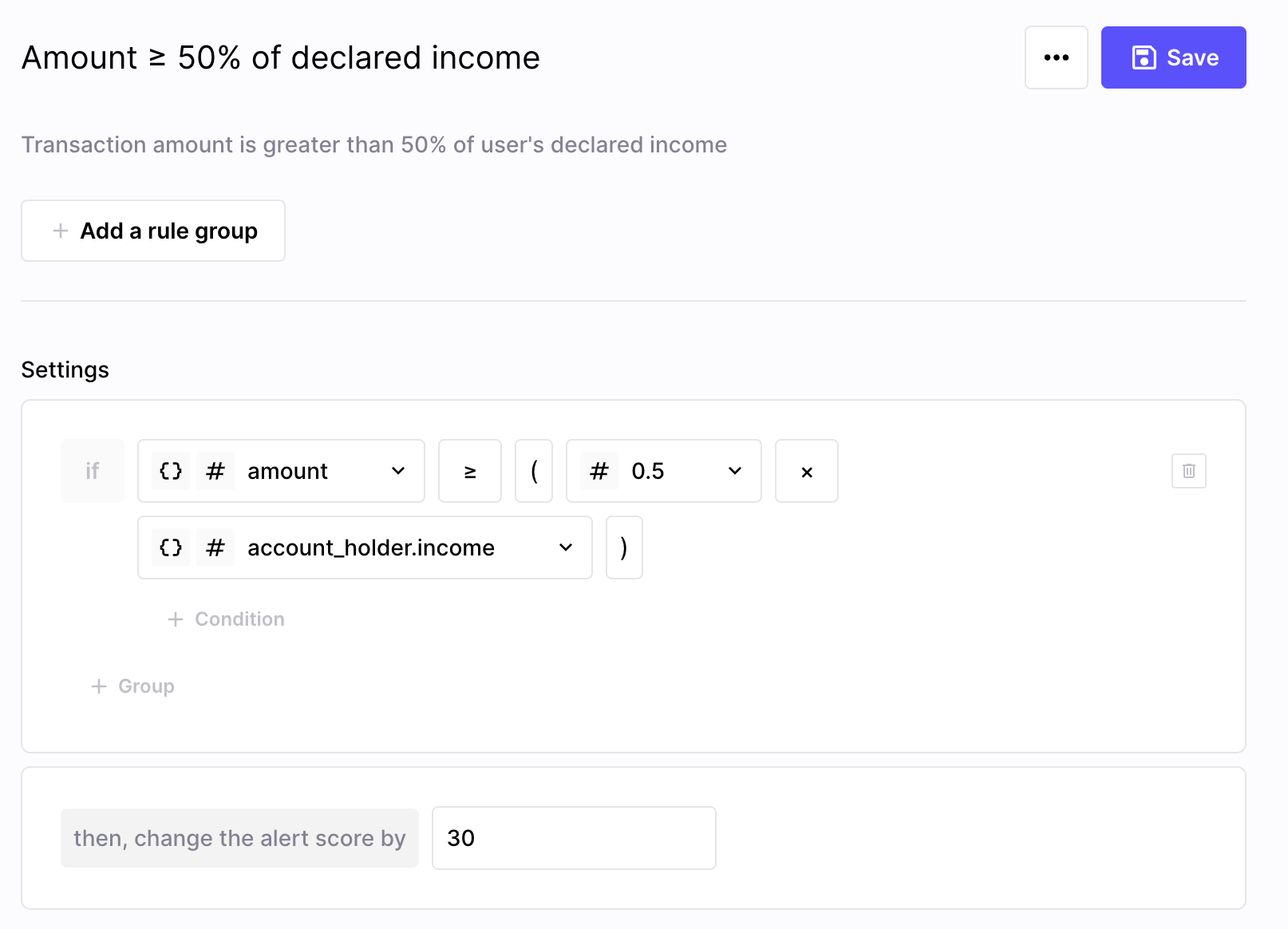
There you go! Here's what your rule should look like: it indeed check if the transaction amount is greater than or equal to 50% of the user's declared income.
Updated 9 months ago