
Datetime functions
Definition
Datetime functions allow you to perform calculations on datetime fields. Marble provides two specific functions:
- Date: This function modifies a datetime field by adding or subtracting a specified duration to return a new calculated date.
- Now: This function returns the specific timestamp at the moment of scenario execution.
Functions
Date
To use the Date function, click on your operand, then go to Functions → Date.
The Date function has 3 main components:
- Datetime operand: the reference datetime, which can be a field from your data model related the triggering object, or the Now function
- Operator: it can + or -, to add or substract a duration to your operand
- Duration operand: it is composed of two fields. The first one is a number input field, and the second is a unit picker. You can add the number you want and select unit between seconds, minutes, hours, and days.
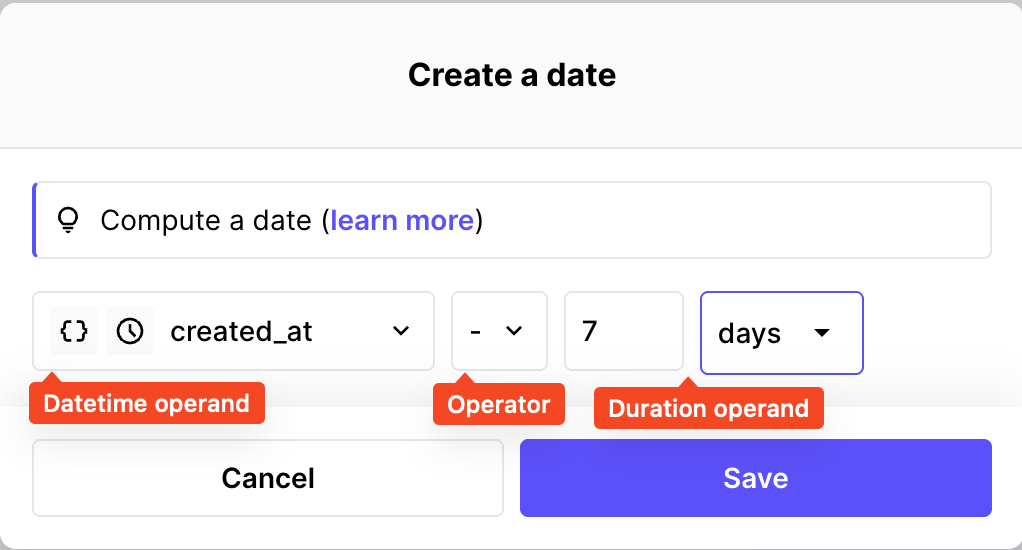
The Date function
You can use the Date function directly in a formula or inside an aggregation, and for both rules or trigger conditions.
Now
To use the Now function, click on your operand, then go to Functions → Now.
This function will simply return the exact datetime at the moment of the scenario execution. It is often combined to the Date function to create a timeframe based on the current timestamp.
Example
Let's say we have we want to build a rule that checks if the user was created in the last 30 days.
In the rule builder, we should:
- Select the user creation datetime as the first operand
- Use the "≥" operator
- Select function Date with the following parameters:
- Use the Now function as the reference operand
- Select the "-" operator
- Type 30 in duration input
- Select unit "Days"
Here, the result of the Date function will be the datetime of exactly 30 days before the scenario execution. If the user creation datetime is greater that this variable, it then means that is was created in the last 30 days.
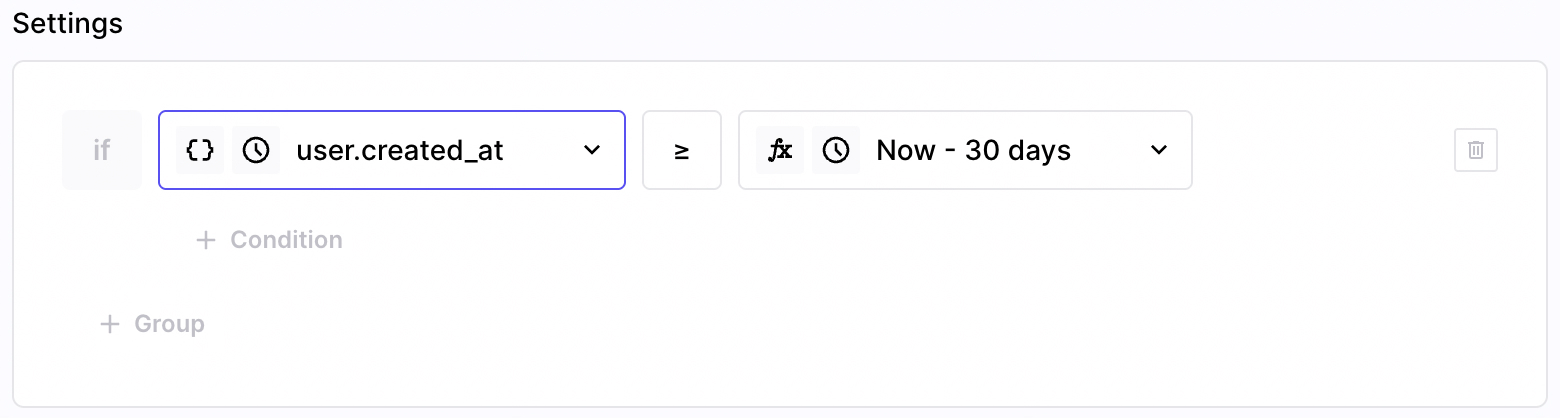
This simple condition checks it the user was recently created
Updated 9 months ago